

INTRODUCTION
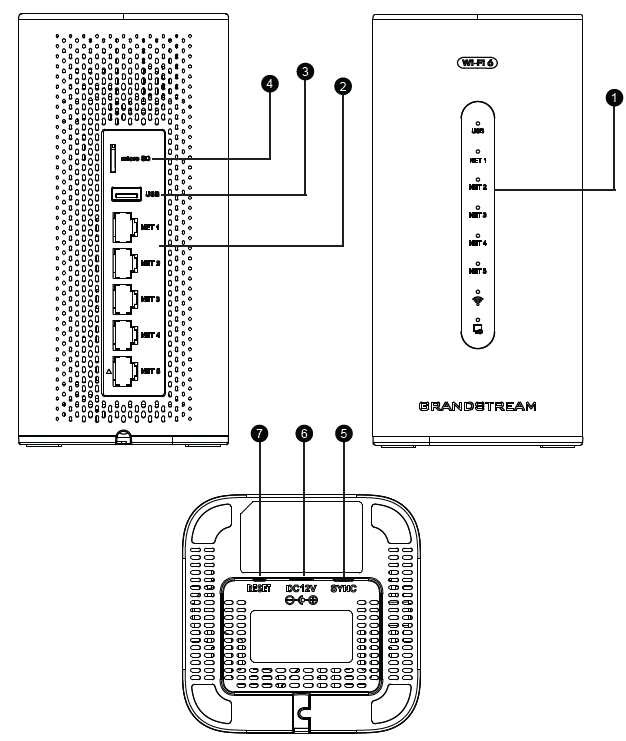
Port | Description | |
1 | LED Indicator | Displays system status, power, and network activity through visual signals. |
2 | NET Ports | Ethernet ports for LAN/WAN connectivity, supporting up to 1Gbps. |
3 | USB 3.0 Port | Allows USB device connections for file sharing or firmware updates. |
4 | Micro SD | Slot for additional storage, backups, or extended system features. |
5 | Sync APs button | Pairs or syncs access points within the same network environment. |
6 | DC12V | Power input jack for supplying 12V DC to the device. |
7 | RESET Button | Hold for 7 seconds to restore factory default settings. |