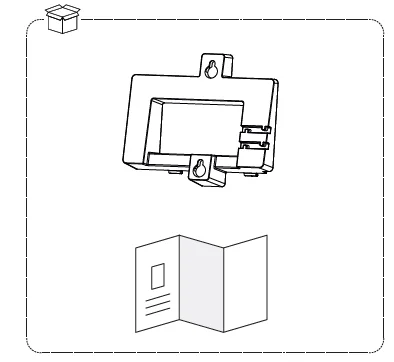
PACKAGE CONTENT
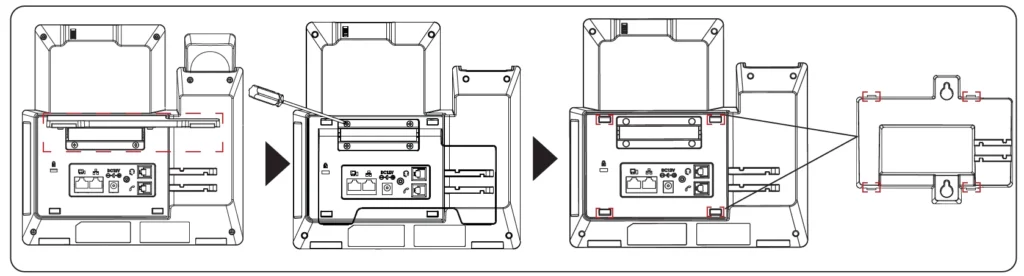
INSTALLING WALL MOUNT BRACKET
- Put the wall mount’s ribs into the unit’s groove.
- Press this position and install the wall mount.
- The wall mount is installed completely on the unit.
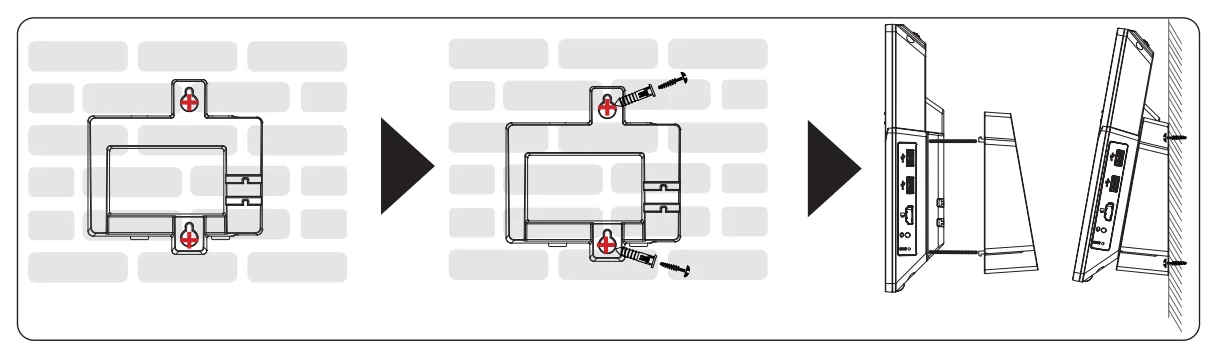
MOUNTING THE PHONE TO THE WALL
- Use the wall mount bracket to mark two horizontal dots using “wall mount slots” on the wall where the phone will be installed.
- Using a drill, make a hole on each marked dot. Put a plastic anchor and screw (not provided) on each hole. Leave enough space to attach the wall mount bracket to the wall.
- Mount the GXV3470 phone with the wall mount bracket attached to the wall using wall-mount slots.
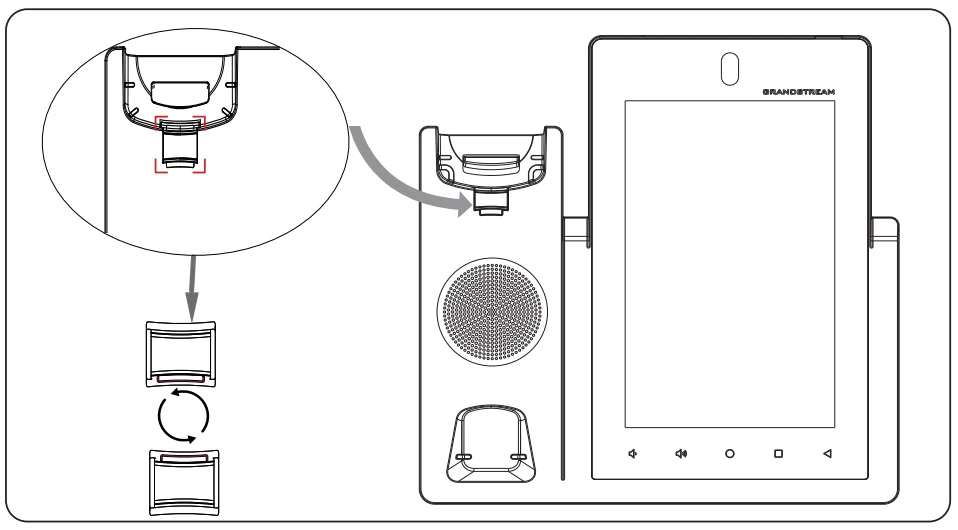
ROTATE HANDSET HOOK
Rotate the tab and plug it back into the slot with the extension up to hold the handset while the phone is mounted on the wall (See figure below).