

The IP66 weather-proof IP cameras GXV3672, GXV3674 and GXV3610 series do not have a built-in Alarm_Out interface, but when peering with Grandstream GXV3500 encoder/decoder, the GXV3500’s built-in Alarm_Out interface (running on decoder mode) can behave as a remote Alarm_Out for those IP Cameras.
The benefit of such peering is that the Alarm_Out circuit is not physically wired into the IP Camera anymore; with the Ethernet network behaving as wiring, the Alarm_Out circuit can now be placed at convenient places not necessarily where GXV3500 is located. This means IP Camera can be at location A while the Alarm_Out is at location B (A and B can be in the same or different places as long as A and B can reach each other via network/internet). This will help a lot of users monitor sites remotely and take appropriate action, because there are situations where location A has the cameras but action has to be taken from location B. With Grandstream’s solution, traditional A and B limitation by cable length now disappears.
The configuration of such remote Alarm_Out is very simple:
GXV3672/GXV3674/GXV3610 Side:
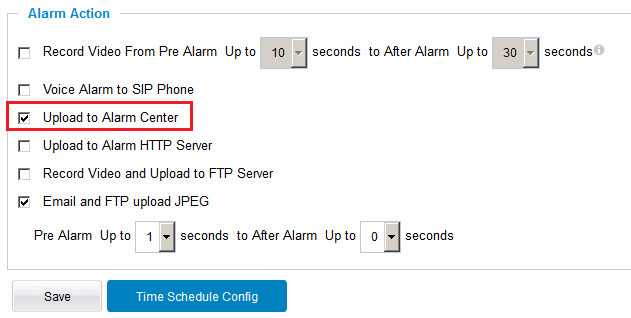
Same configuration as the previous Motion Detection configuration, just make sure “Upload to Alarm Center” is checked:
GXV3500 (Decode Mode) Side:
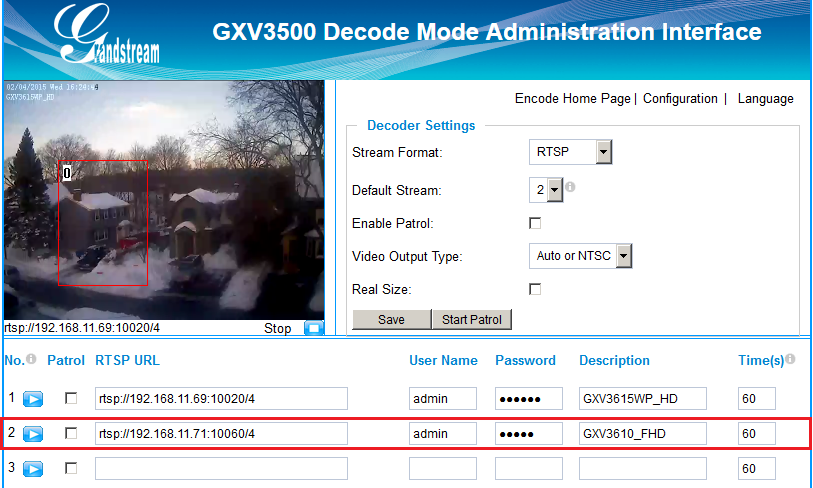
GXV3500 has to be running Decode Mode when functioning as remote Alarm_Out of the peering IP Camera. The configuration is as below:
- Input the 2nd stream (H.264 only, MJPEG NOT supported) as the RTSP URL, with correct credentials, as shown below.
- Only ONE stream (the currently decoding stream) in Motion Detection can use the GXV3500 built-in Alarm_Out interface if there are multiple RTSP URL configured in the GXV3500.
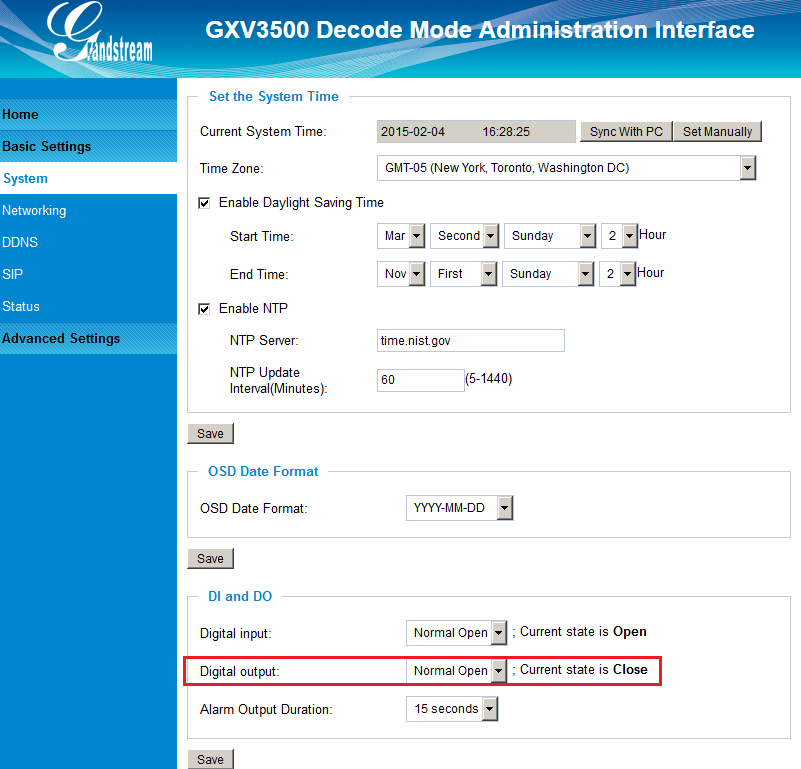
Alarm_Out duration can be configured at the “System” setting page of the GXV3500 Decoder. See the figure below. When Alarm_Out takes action, the webpage will show the related action.
For example: below, the “Digital Output Duration” is selected as “15 seconds” so Alarm_Out will act for 15 seconds before reverting back to its previous state. In the case below, the default is circuit “Open”; when the Motion Detection alarm triggered, the circuit state changed to “Close” as illustrated below for 15 seconds and then switched back to the previous “Open” state.
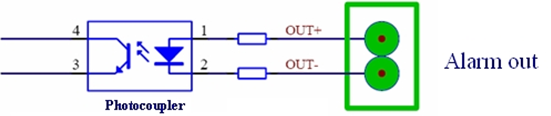
Unlike the Alarm_Out interface of Grandstream IP Cameras (e.g., GXV3611IR_HD or GXV3662_HF/FHD, where the related Alarm_Out interfaces are using relay switch), the GXV3500 Alarm_Out uses photocoupler circuit.
If connected to a multimeter, you can see resistance change from unlimited to several hundred Ohms depending on GXV3500 HW version.
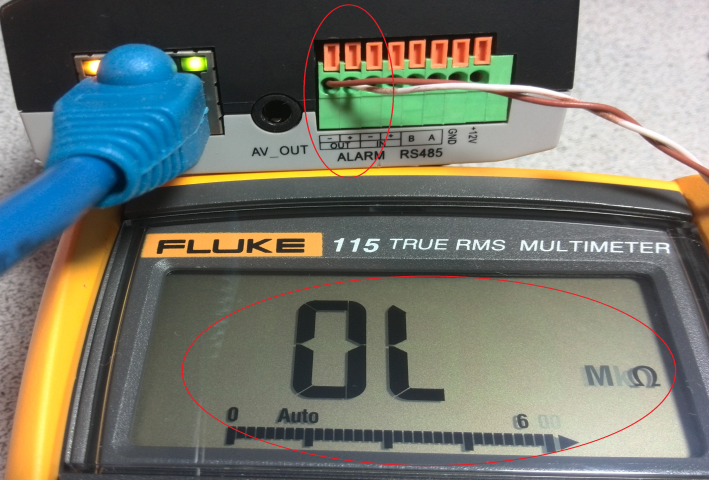

The above method can be used for installers to check the functionality of this feature at lab or in the field before installation.
With the help of the GXV3500 Decoder, customers can now free from the wiring limitation and have the Alarm_Out feature for Grandstream IP66 weather-proof IP cameras.