Introduction
The SoftwareUCM is an on-premise management platform that allows network administrators to control and oversee the company’s internal telephony system without needing any cloud-based solution, such as the GDMS Unified Communication. This allows for greater flexibility and control of the latter.
In this document, we will preview some deployment scenarios, where the SoftwareUCM will be used to control various levels of telephony devices, ranging from endpoints such as IP phones, Wi-Fi phones, video phones, etc. to VoIP gateways to remote users.
SoftwareUCM: Deployment Scenario 1
In this scenario, the setup is configured as shown in the illustration below:
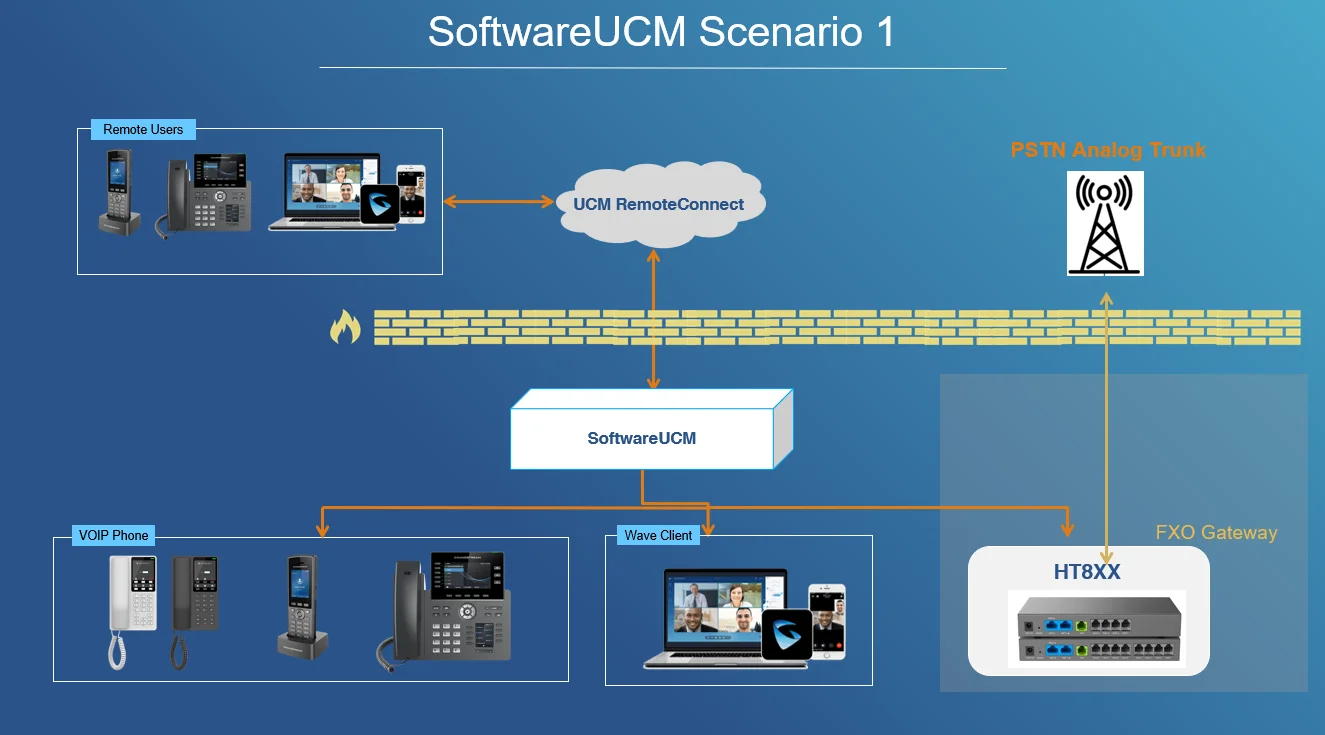
SoftwareUCM is deployed behind a firewall, which acts as the bridge between the on-premise SoftwareUCM and a UCM RemoteConnect account. The latter allows remote users to connect to the telephony system that is the deployed SoftwareUCM, which also presides over the VoIP devices, Wave clients, and even FXS/FXO gateways which can be used to convert old PSTN telephony systems into VoIP systems.
SoftwareUCM: Deployment Scenario 2
The second deployment scenario is shown below:
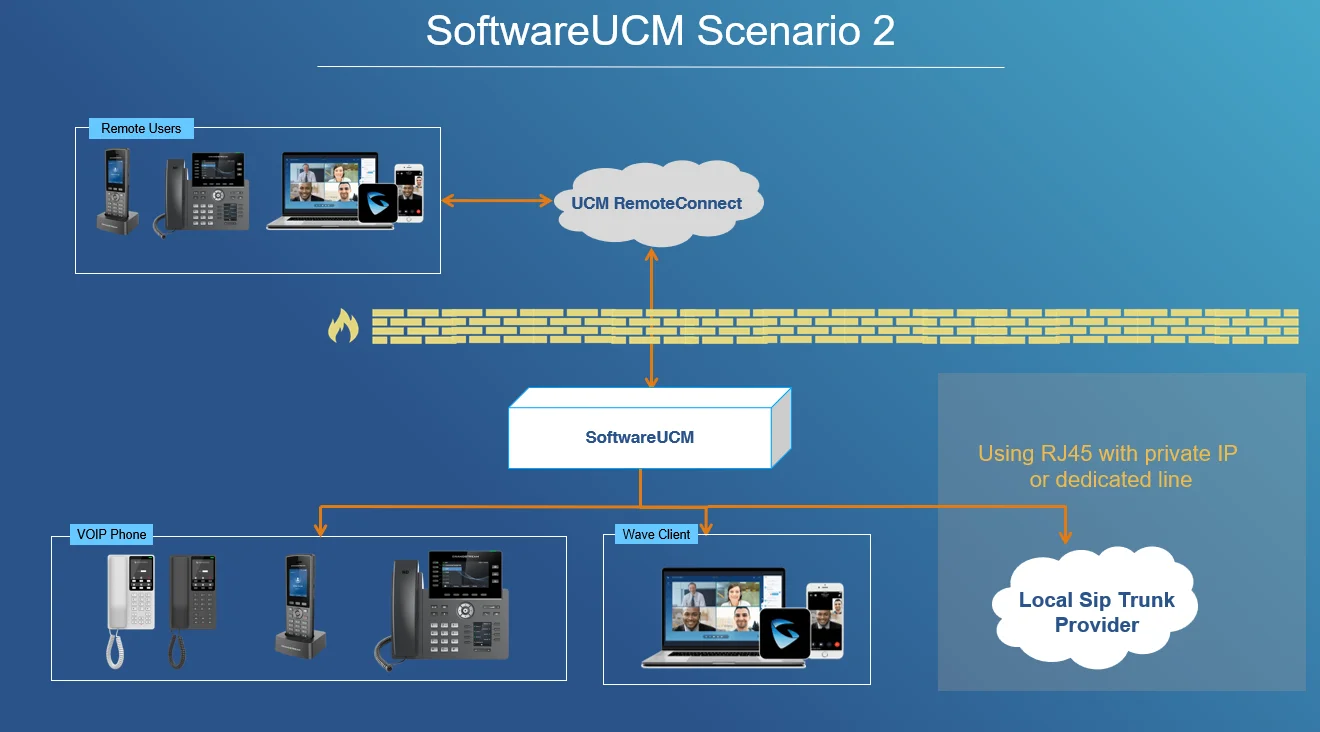
In this setup, SoftwareUCM uses a RemoteConnect plan to connect remote users to it. The SoftwareUCM manages VoIP devices and Wave clients and is connected to VoIP services through an ITSP-supplied local SIP trunk via a dedicated line or private IP using RJ45 connections.
SoftwareUCM: Deployment Scenario 3
The third deployment example is shown below:
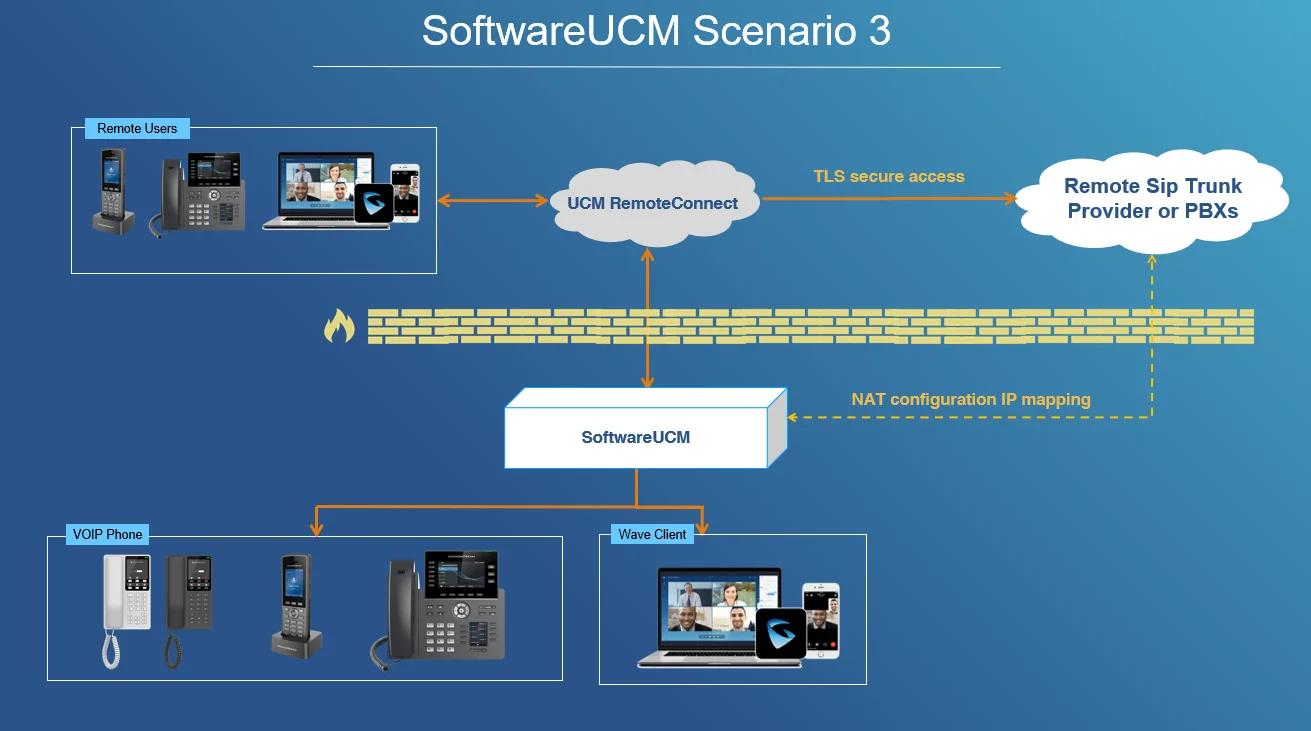
In this scenario, SoftwareUCM is deployed similarly to the second scenario, with the key difference being the source of the SIP trunk used for VoIP communication. Here, the SIP trunk is provided remotely through the UCM RemoteConnect plan and integrated into the SoftwareUCM local network via IP mapping through NAT configuration. This setup is useful if you prefer not to physically install the ITSP network on your internal telephony system and want to maintain remote integration through UCM RemoteConnect with the provided remote SIP trunk.
SoftwareUCM Multiple Tenant
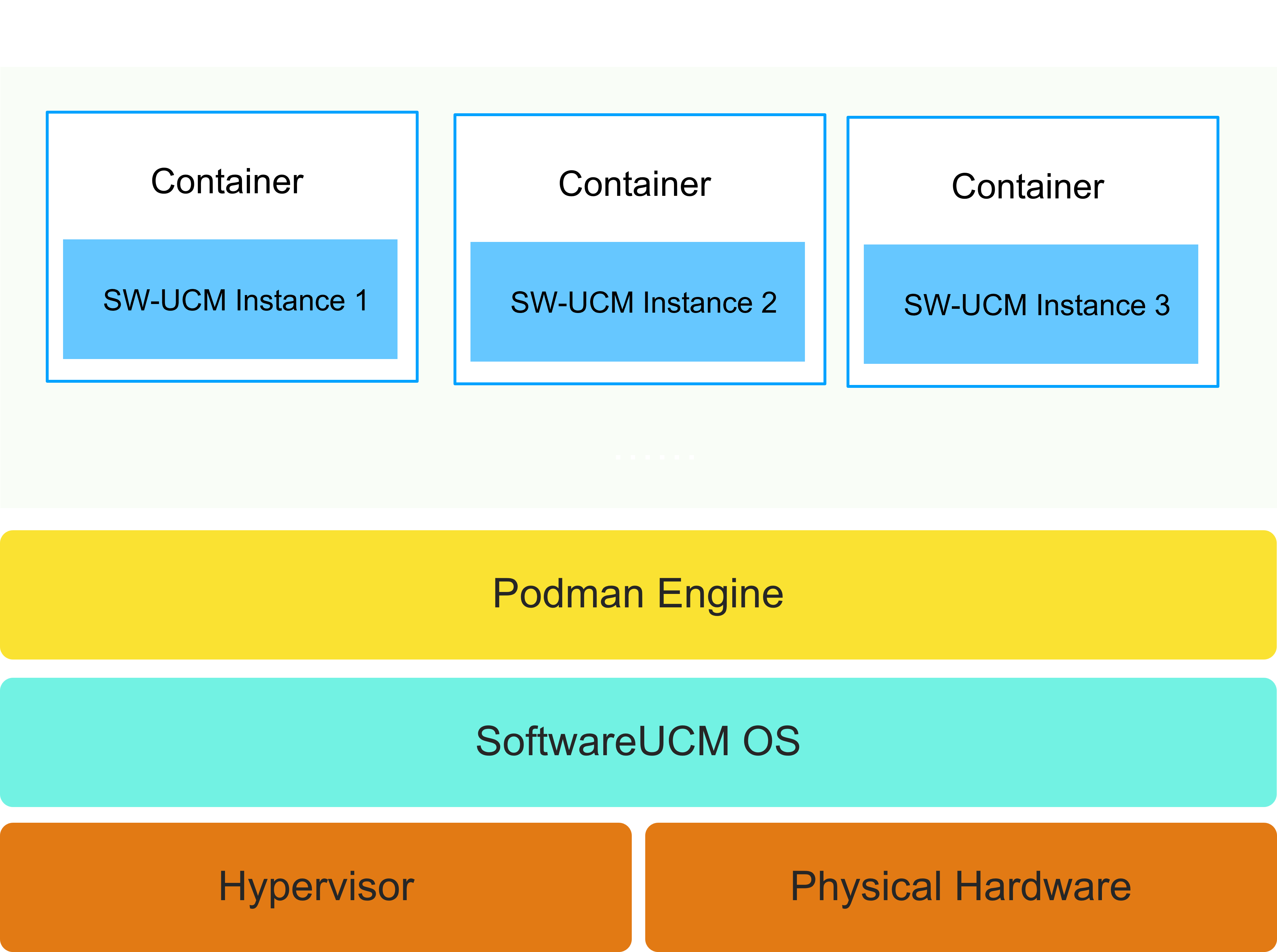
The multiple-tenant configuration allows SoftwareUCM to run multiple instances simultaneously. This enables the management of different accounts and VoIP infrastructures from a single point. Below are some important advantages of the SW-UCM multiple-tenant configuration:
- Manage Customer base: Maintain multiple customer bases from a single installation.
- Docker Architecture: Each SoftwareUCM instance has independent storage space, CPU, memory, and network.
- Data Isolation: Each instance’s data storage is completely independent, making the data more secure.
- Allocation On Demand: Allocate resources to different SoftwareUCM instances on demand.