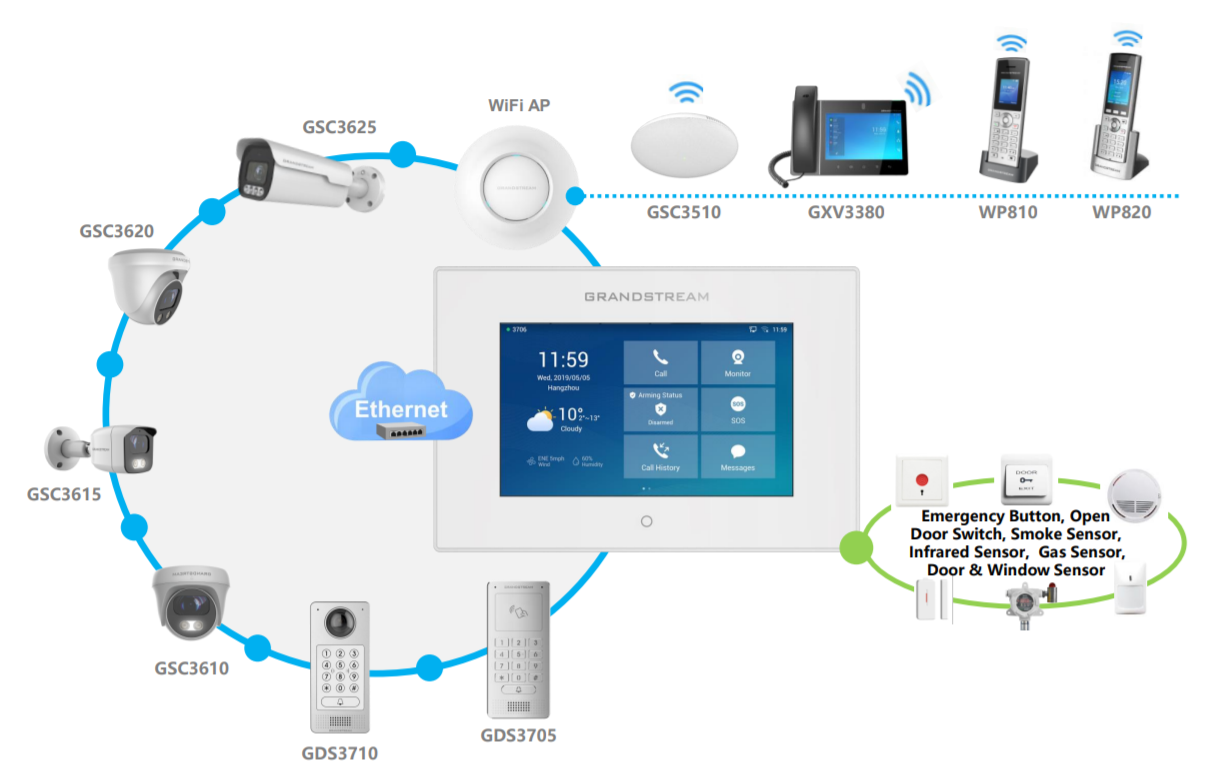
Introduction
The GSC3570, GSC3574, and GSC3575 are control panel devices from Grandstream, designed for deployment in various scenarios to enhance on-premise security. These devices can be integrated with internal and external alarms, as well as door systems, to manage the opening and closing of building entries. In addition, the GSC3570, GSC3574, and GSC3575 can serve as the primary control devices for door access management and video surveillance.
In this guide, we will discover the various scenarios where the GSC357x can be deployed to enhance on-premise security.
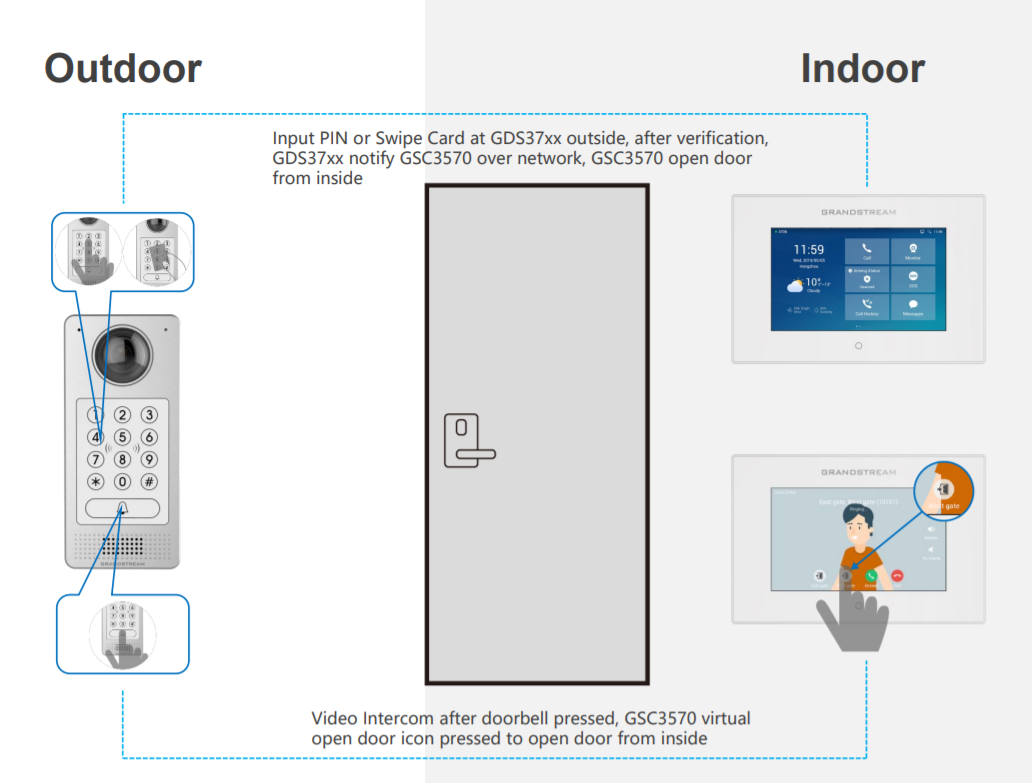
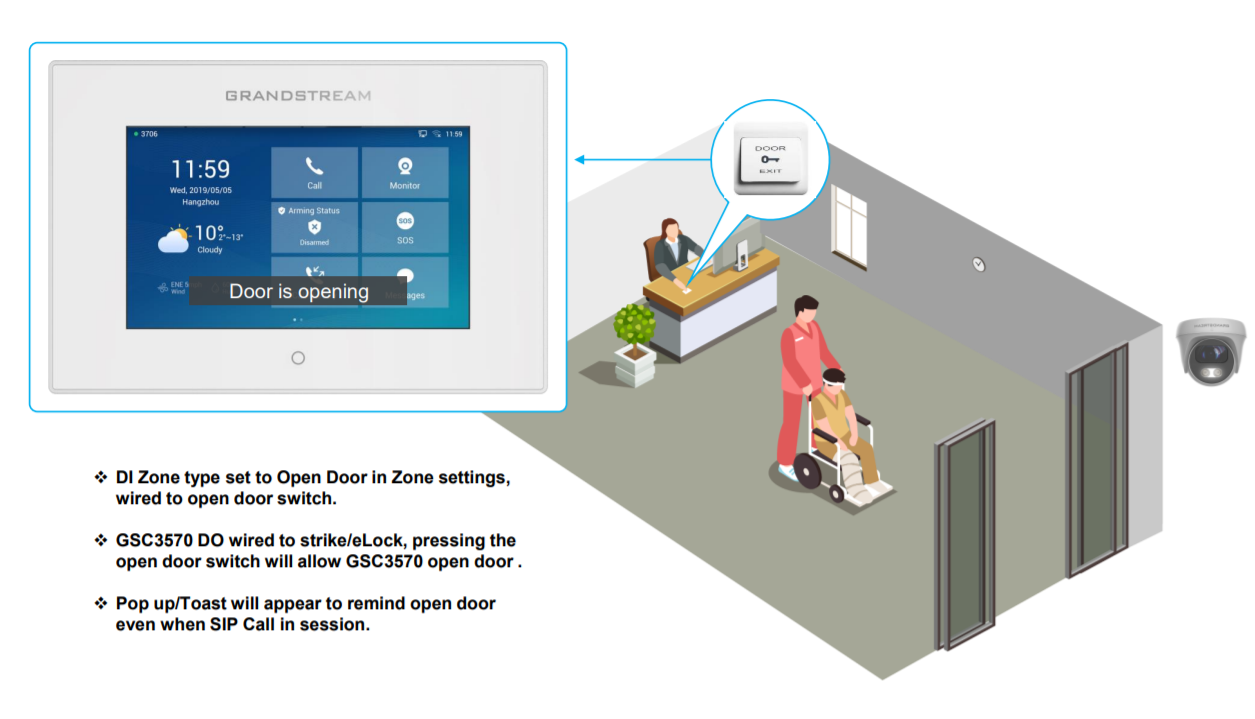
GSC3570/3574/3575 Open Door from Inside
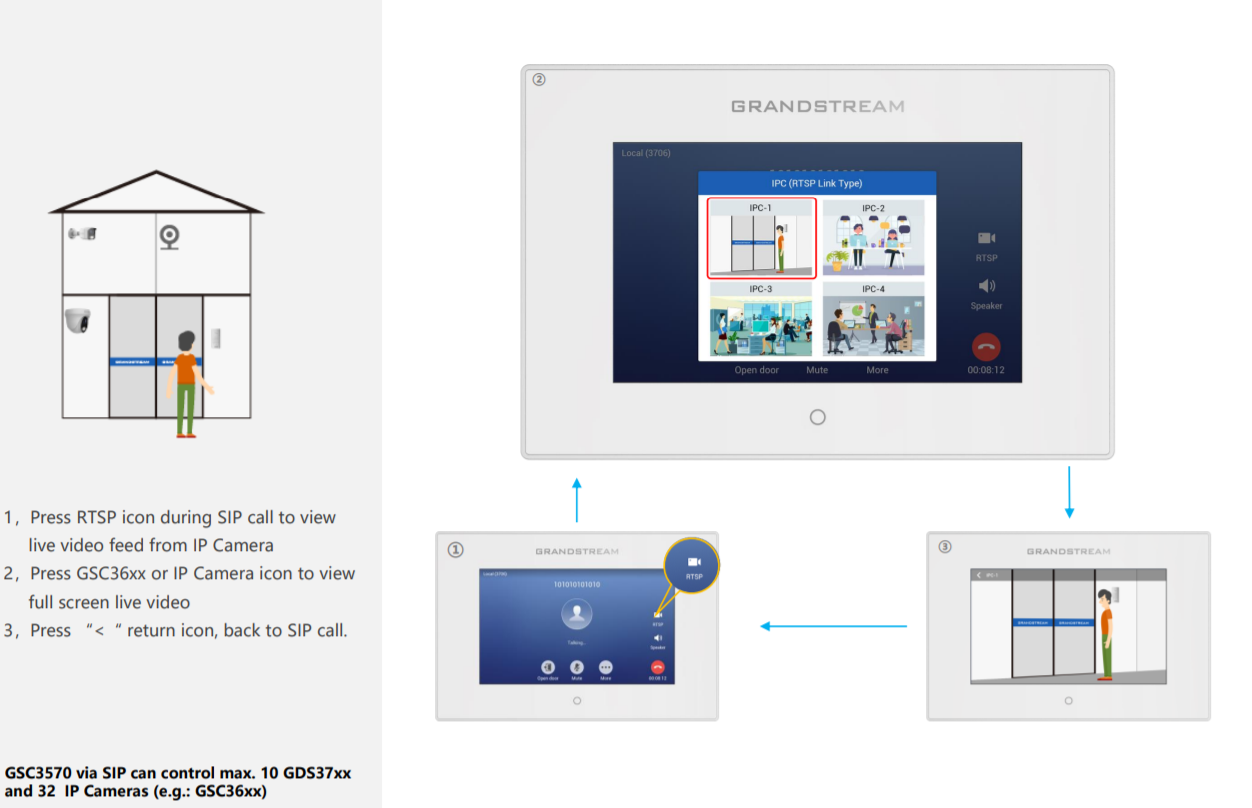
GSC3570/3574/3575 RTSP Video Monitor Switching During SIP Calls
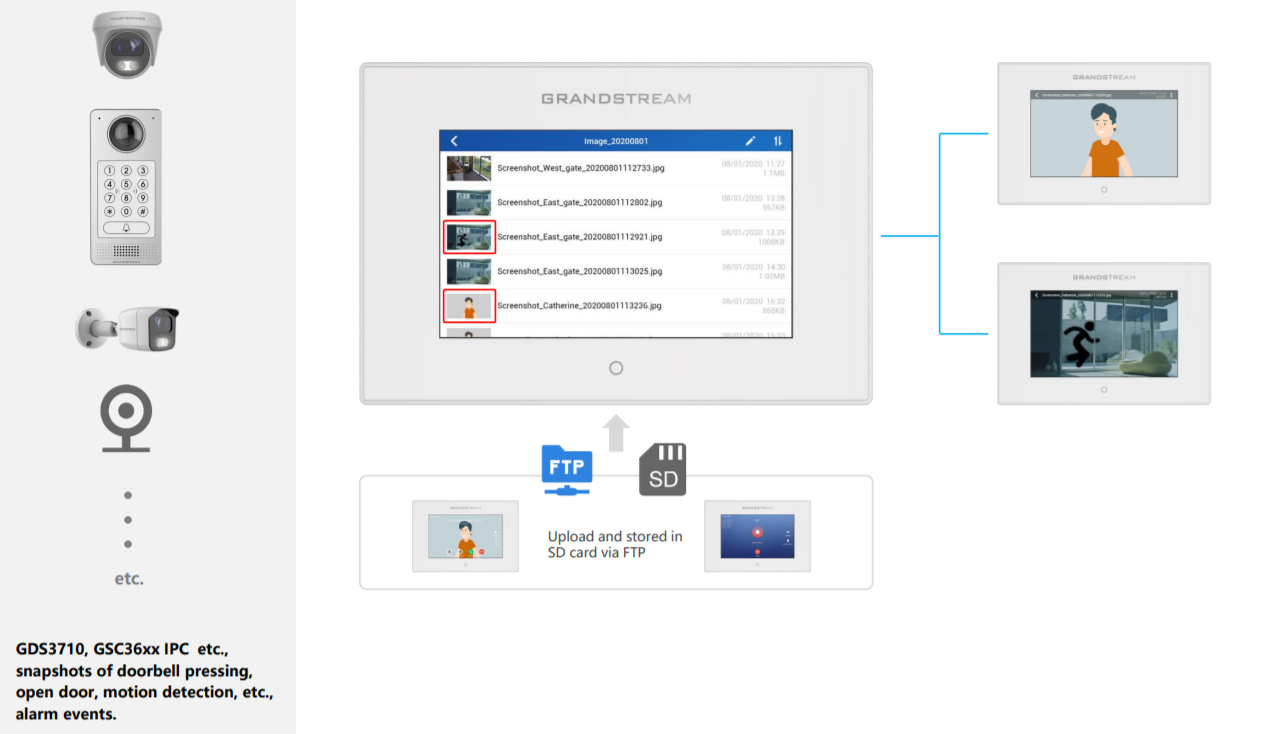
View snapshots stored in SD card via FTP
GSC3570/3574/3575 as Digital Doorbell
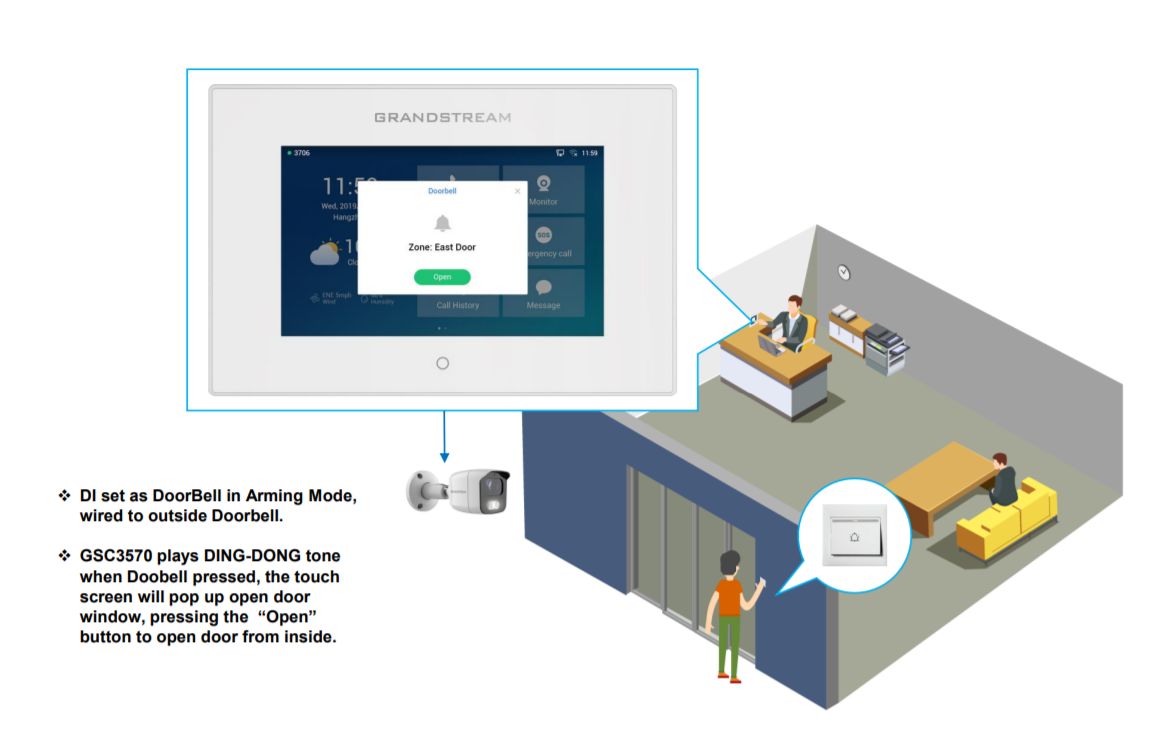
GSC3570/3574/3575 as Door Opener
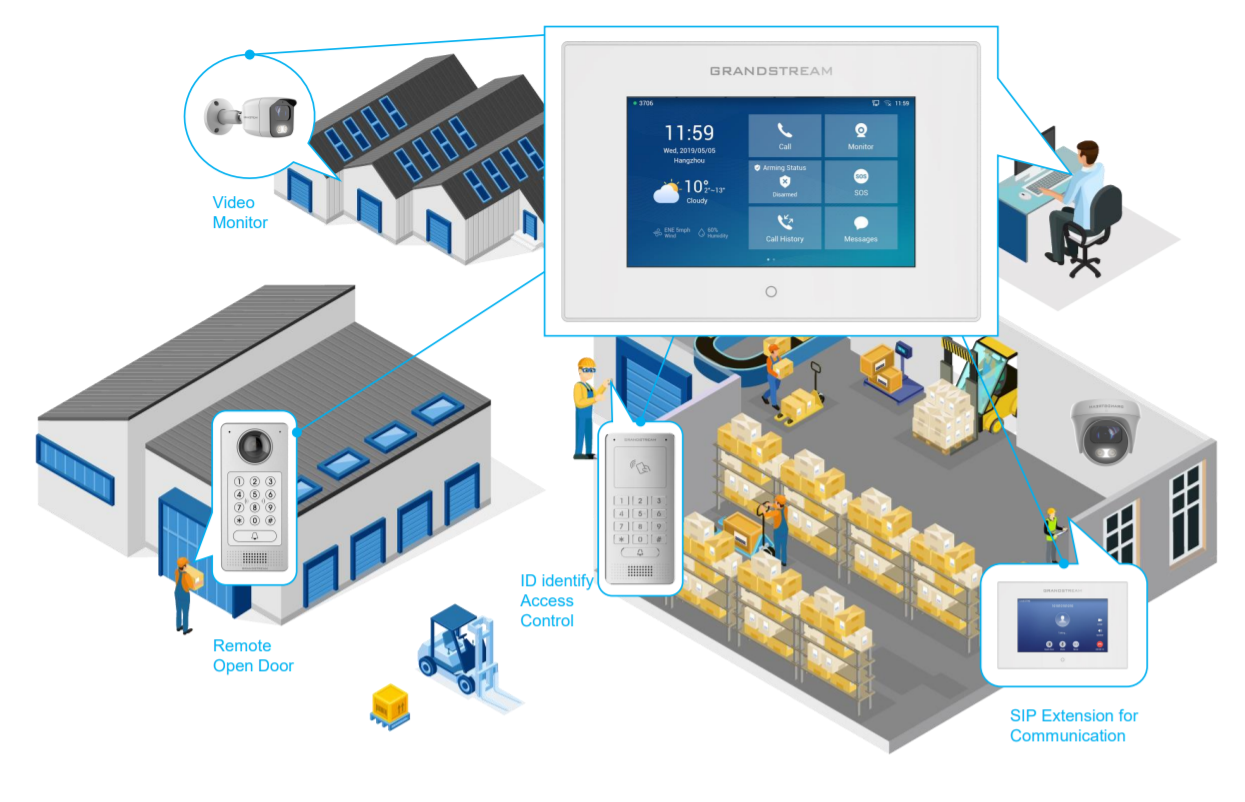
Remote Warehouse Management Scene
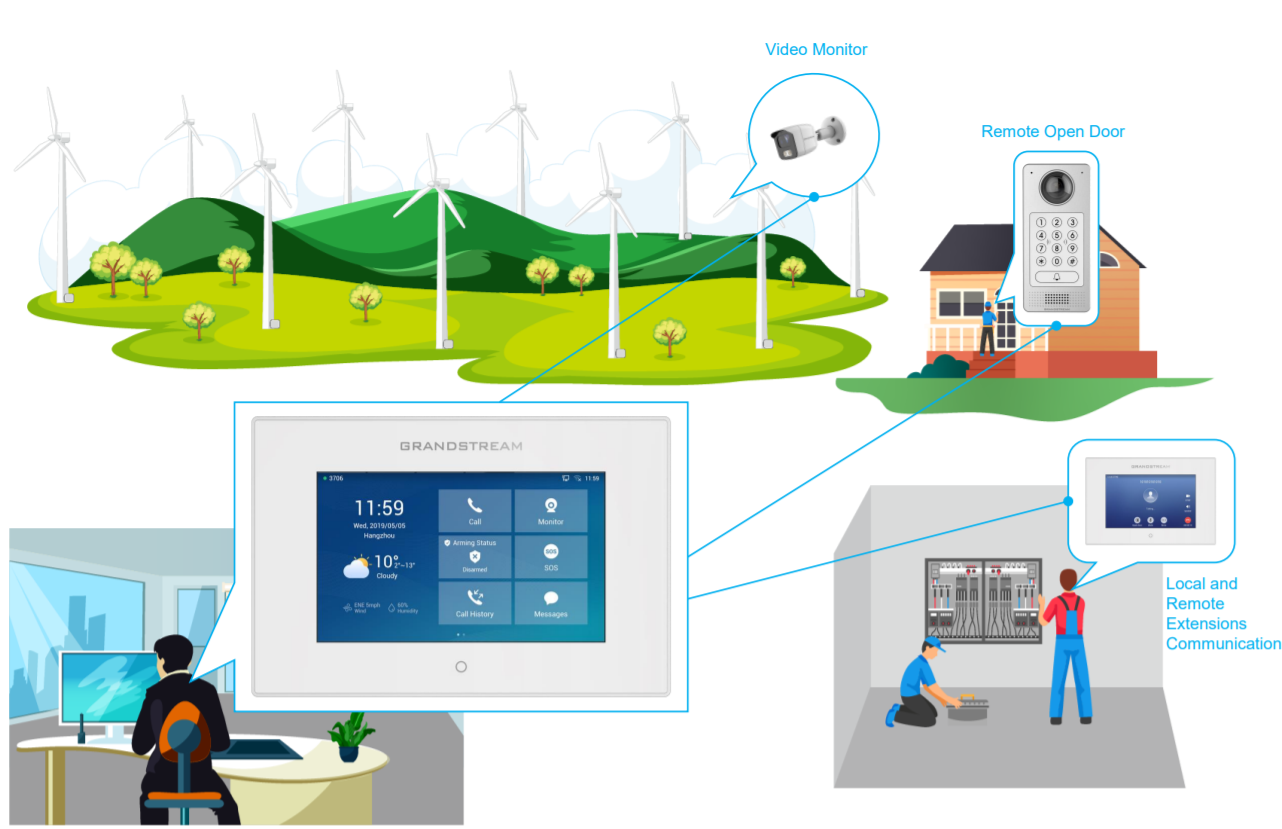
Green Energy Application Scene
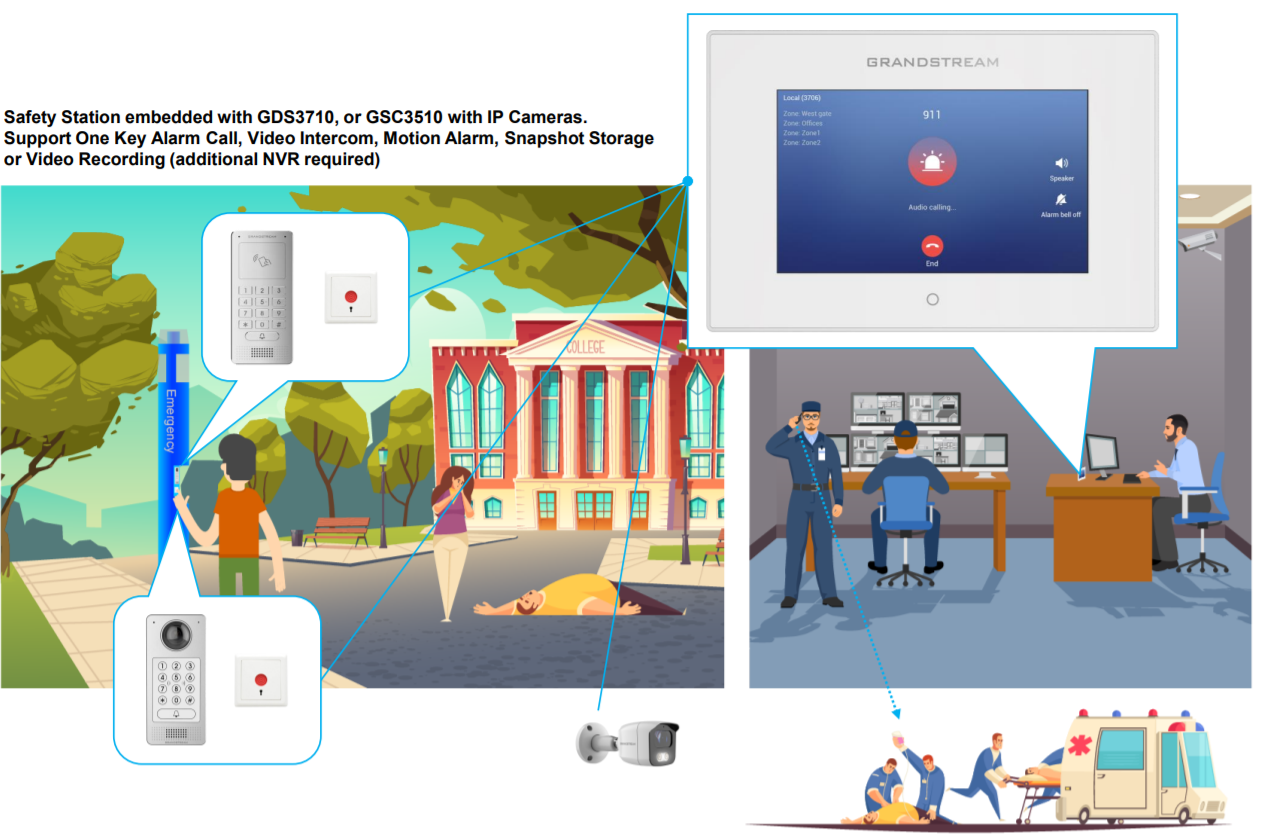
Safe Campus, Scenic Area or Visiting Center 🡪One Key Alarm Call
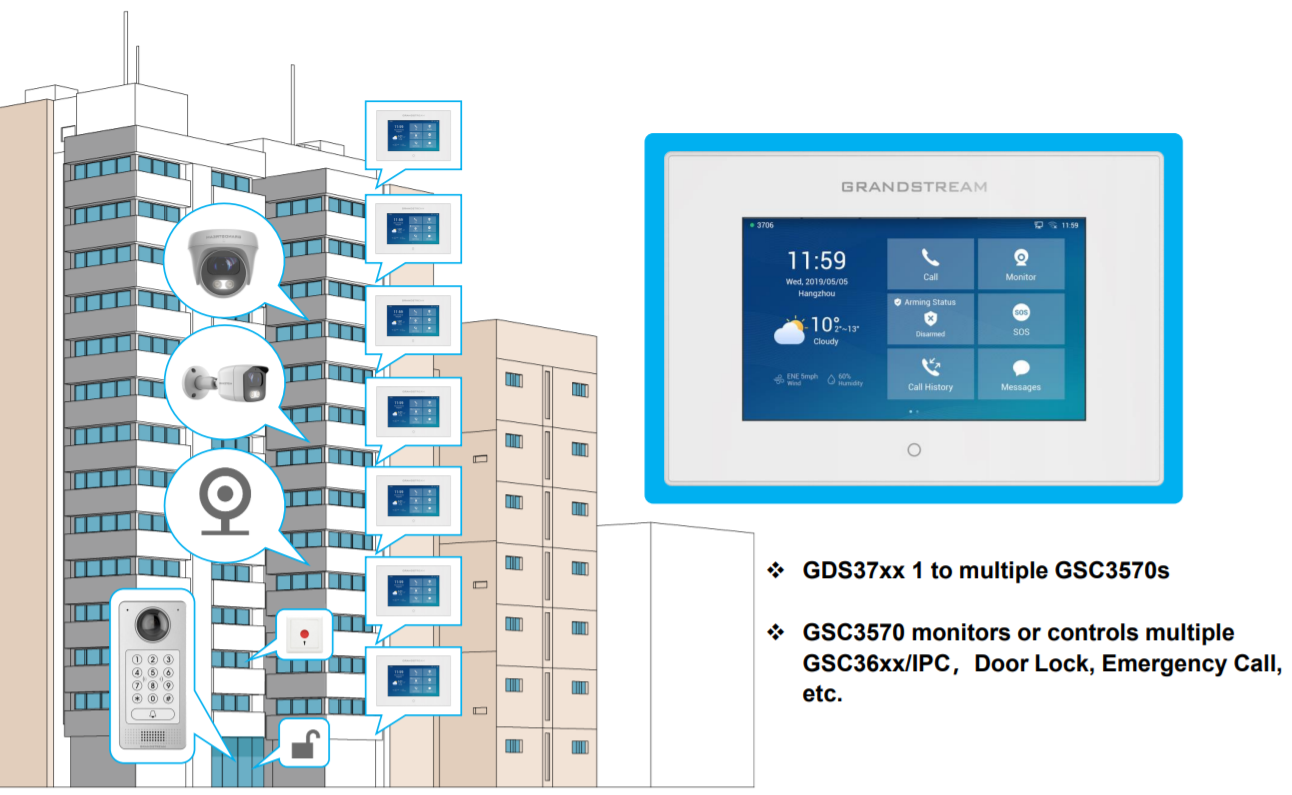
Apartment or Community Application Scene
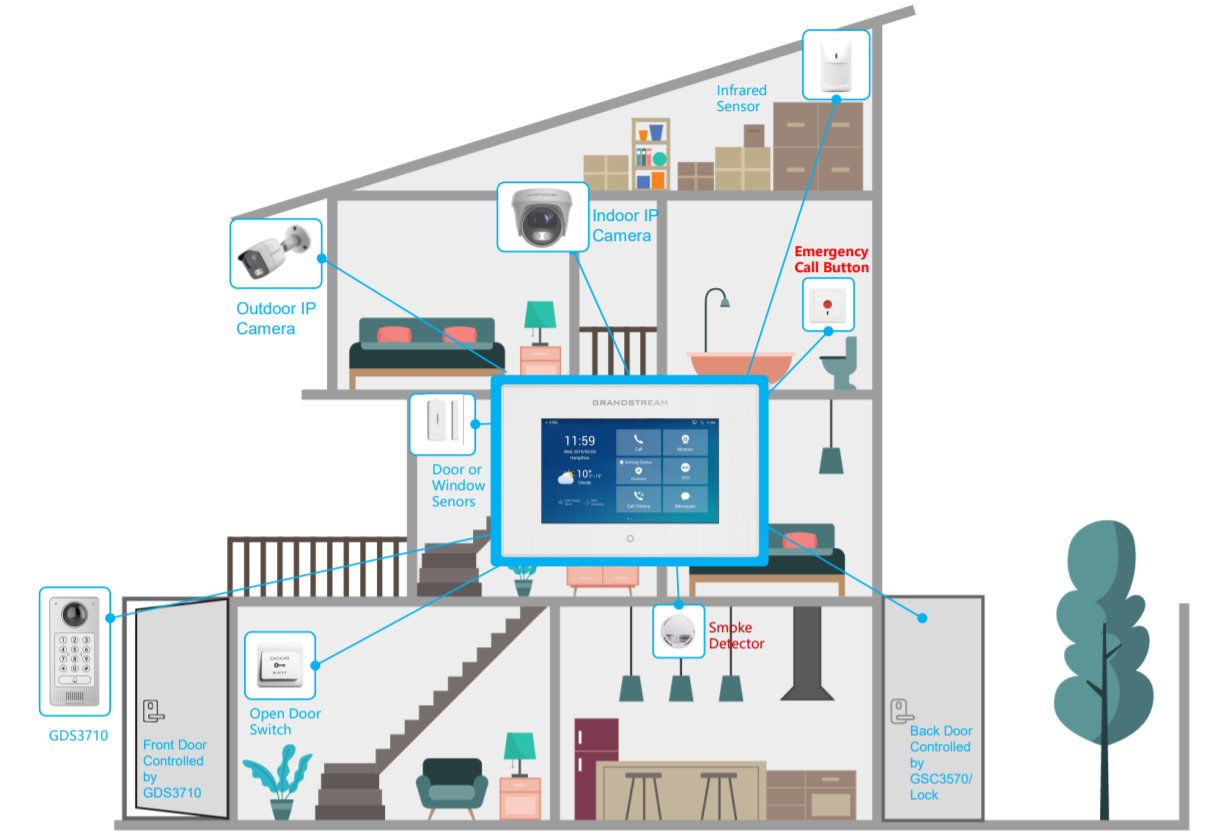
Villa Application Scene
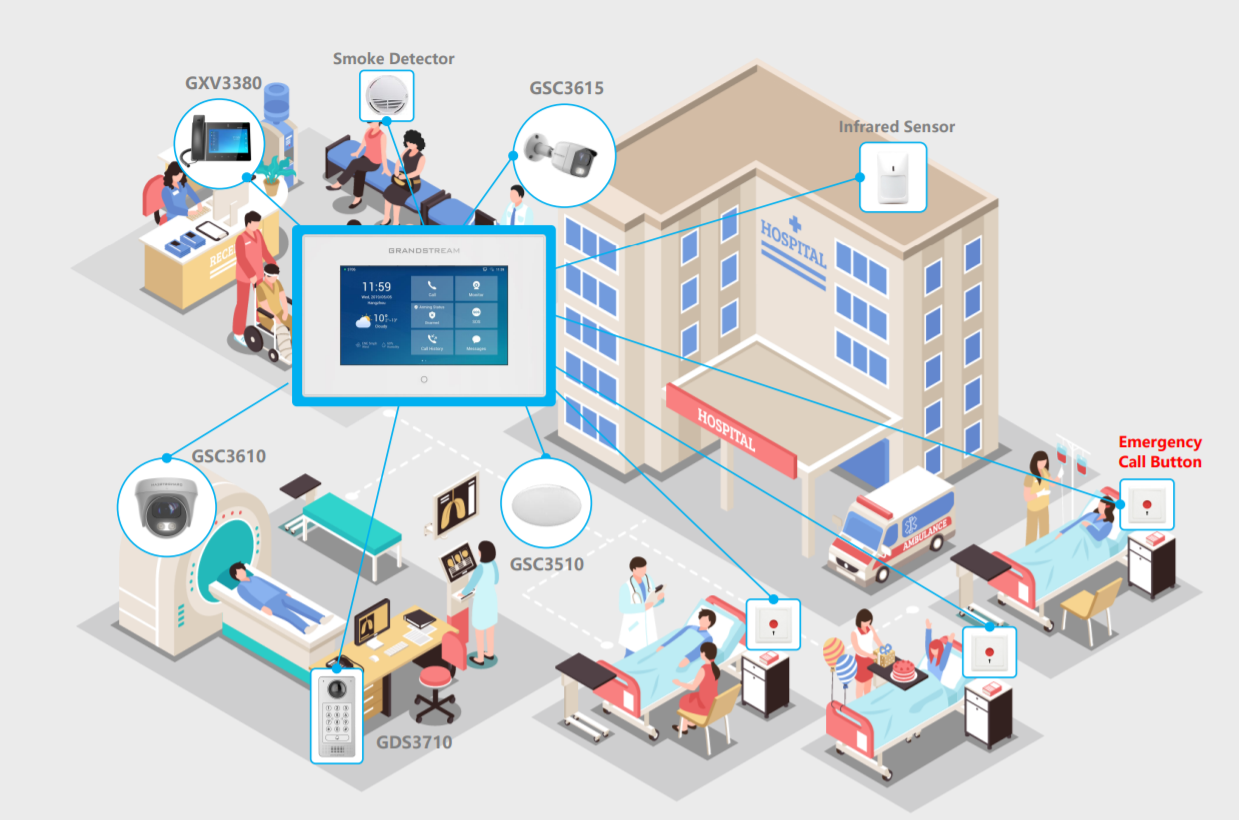
Hospital or Clinic Application Scene
Safe Campus Application Scene
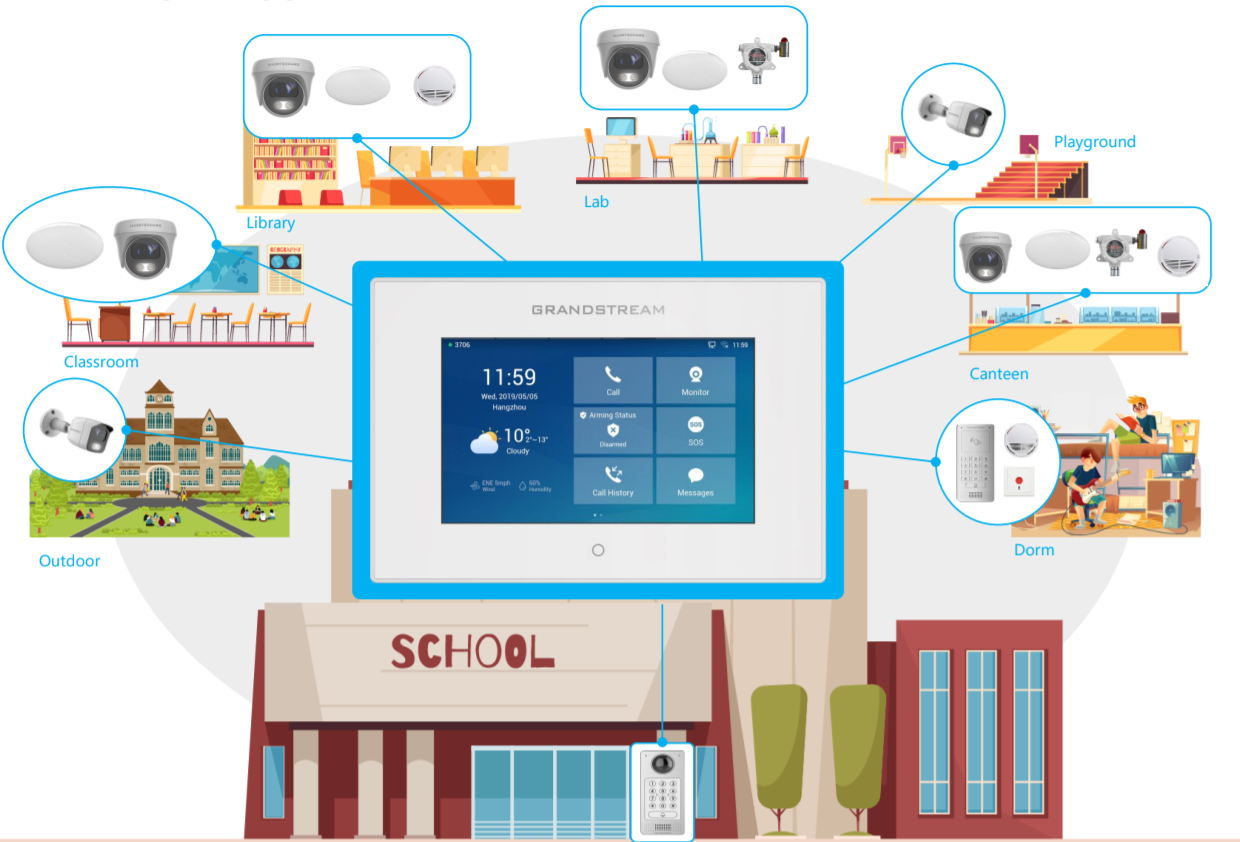
Grandstream Convergence Solution:
Device Connection Used (Ethernet)
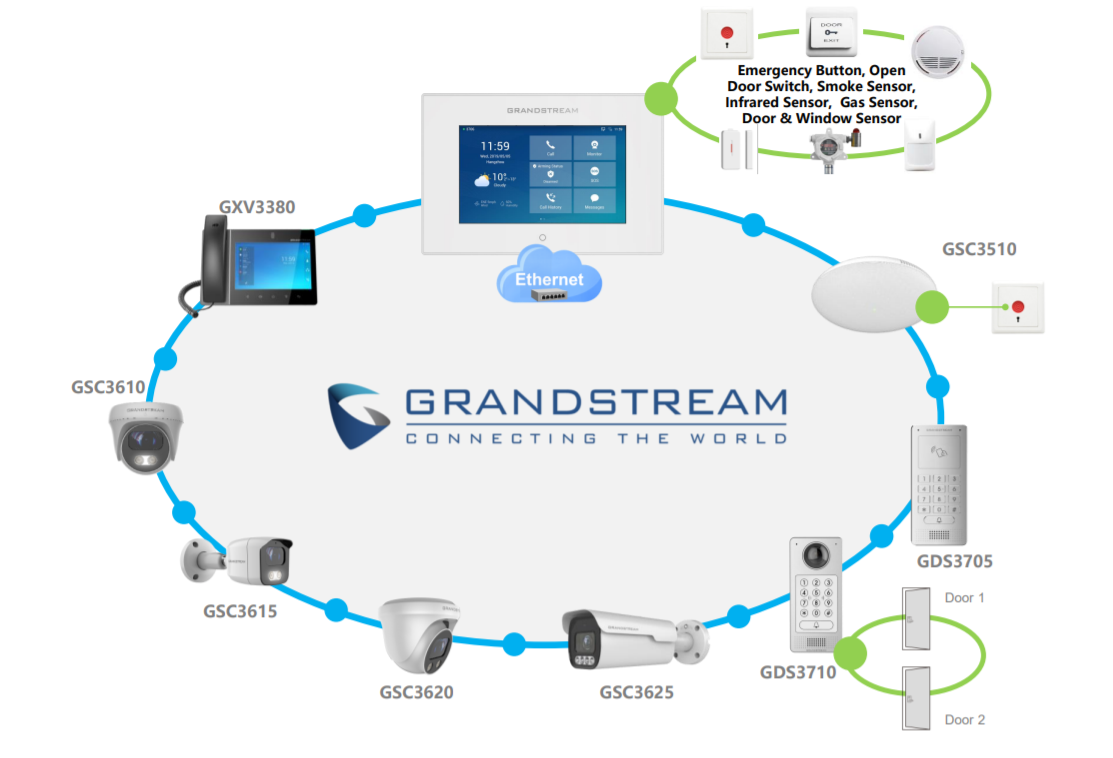
Grandstream Convergence Solution:
Device Connection Used (Wi-Fi)