

Overview
The GWN7072 is a high-performance BE11000 tri-band Wi-Fi 7 router designed for families, small offices, home offices, and small to medium businesses. It uses the 2.4 GHz, 5 GHz, and 6 GHz bands to deliver an aggregate wireless speed of up to 11 Gbps, and it supports up to 128 concurrent Wi-Fi clients.
The router provides a 10 GbE Combo WAN port, a 2.5 GbE WAN/LAN port, three 2.5 GbE LAN ports, and a USB 3.0 port. It also supports intelligent Mesh networking with up to 16 nodes, built-in VPN services, intelligent QoS, parental controls, and centralized management through GDMS Networking, GWN Manager, the GWN App, and the Grandstream Home App.
Package Contents
The GWN7072 package contains the following items:
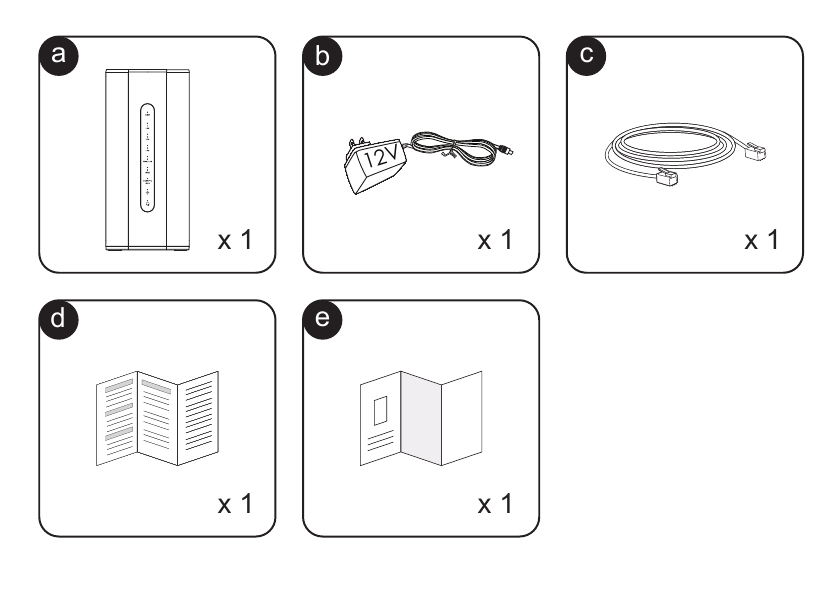
- a. GWN7072 Tri-Band Wi-Fi 7 Router, 1 unit
- b. 12 V power adapter, 1 unit
- c. Ethernet cable, 1 unit
- d. Quick Installation Guide, 1 copy
- e. Certification and Regulatory Information, 1 copy
Hardware Overview
The front panel shows the operating state of the USB interface, Ethernet ports, Wi-Fi service, and system. The rear and bottom panels provide the network, power, reset, and Mesh synchronization interfaces used during installation.
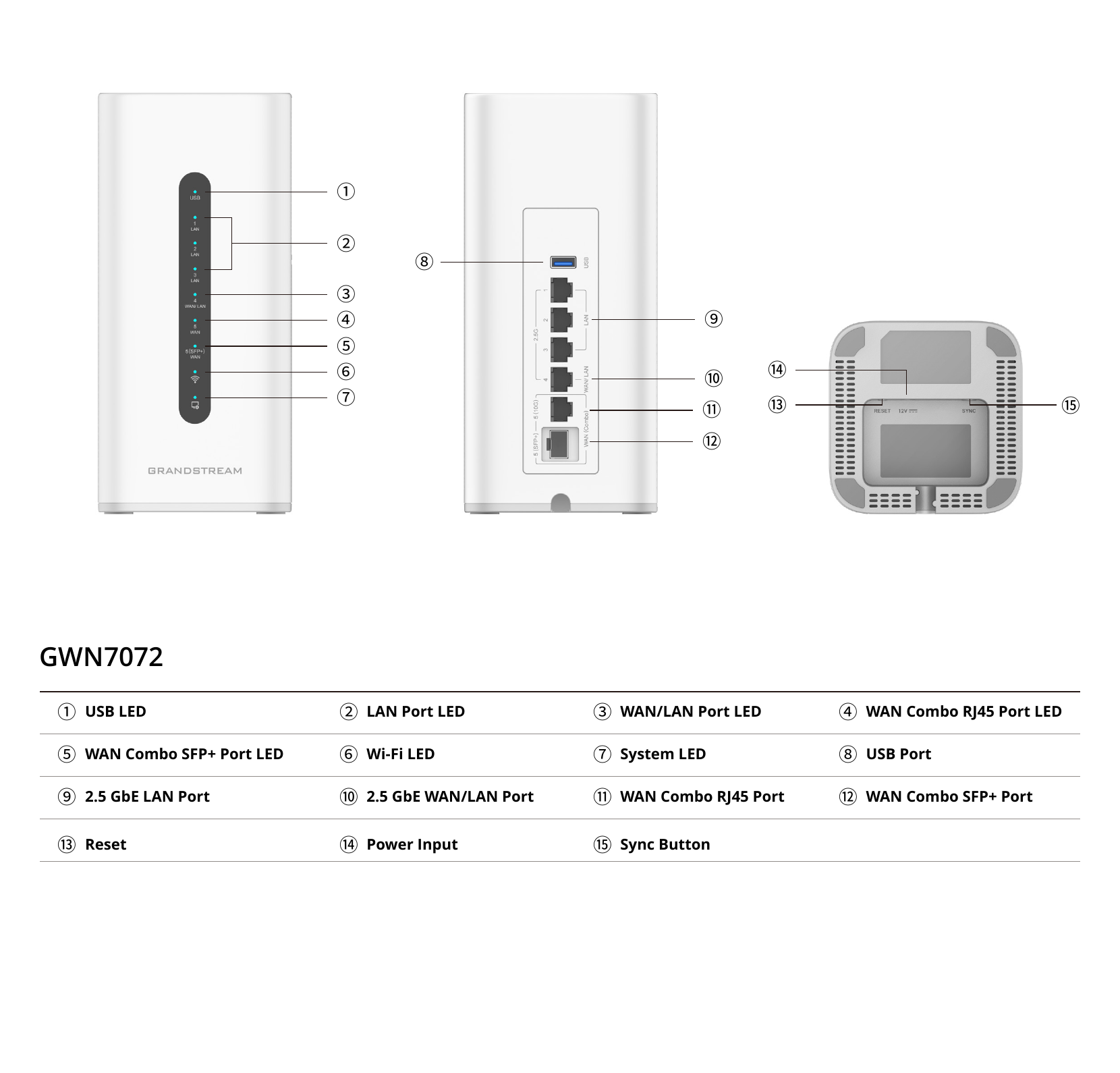
| Interface | Purpose |
|---|---|
| USB 3.0 | Connects a supported USB storage device, printer, or LTE dongle. |
| 2.5 GbE LAN ports | Connect wired computers, switches, phones, and other local network devices. |
| 2.5 GbE WAN/LAN port | Operates as an autosensing WAN or LAN connection. |
| 10 GbE Combo WAN port | Provides one WAN connection through either the RJ45 interface or the SFP+ interface. |
| Reset | Restores the router to its factory settings when the reset procedure is performed. |
| Power input | Connects the supplied 12 V power adapter. |
| SYNC | Supports Mesh synchronization with compatible Grandstream devices. |
Initial Setup
Follow the steps below to power the GWN7072, connect it to the Internet, and access its management interface.
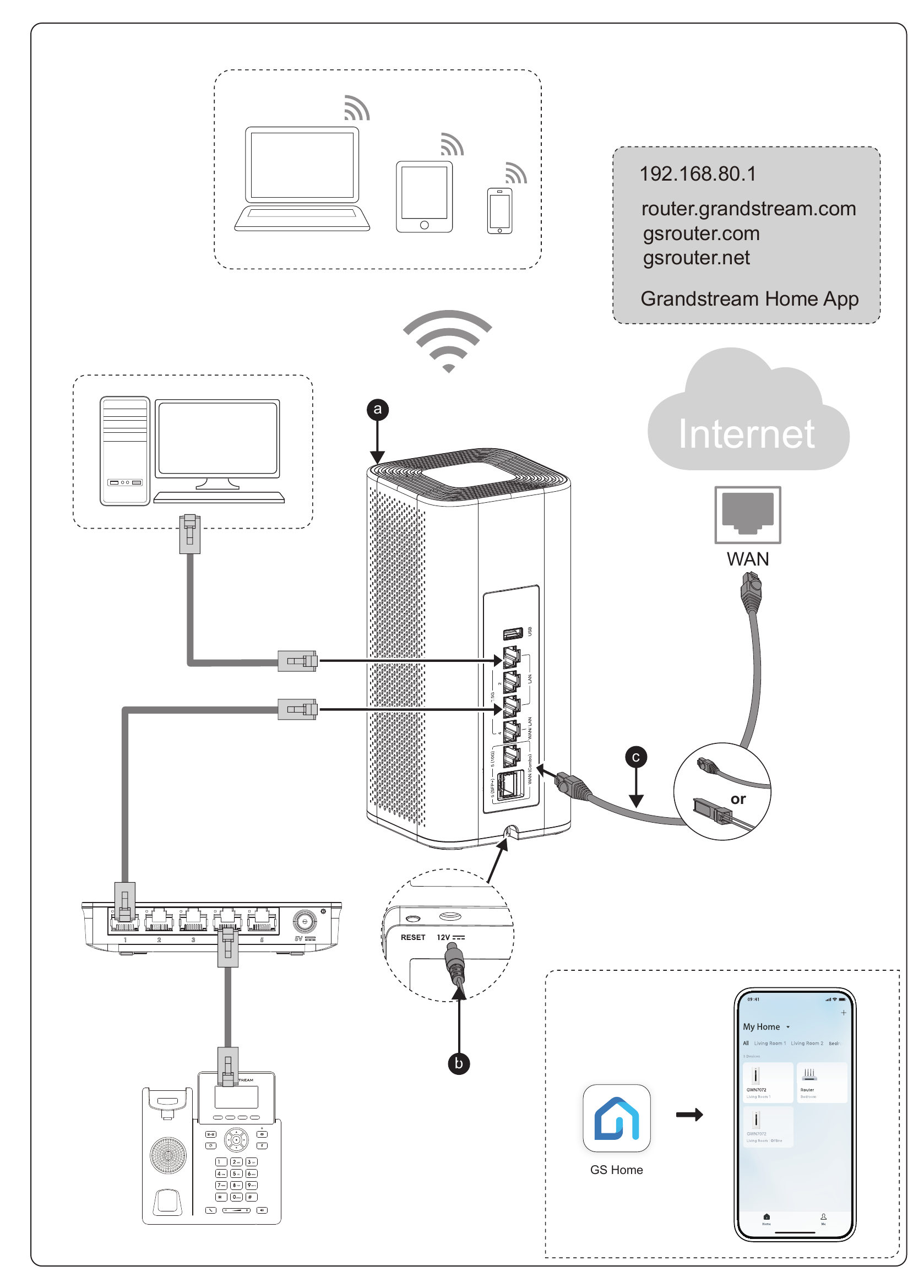
- Position the router. Place the GWN7072 on a stable desktop surface or install it on an indoor wall in a location with adequate ventilation.
- Connect the power adapter. Connect the supplied 12 V power adapter to the router’s power input, then connect the adapter to an electrical outlet.
- Connect the Internet service. Connect the modem or upstream network to the 10 GbE Combo WAN port using either its RJ45 interface or its SFP+ interface.
- Connect wired devices. Connect a computer or other wired device to one of the 2.5 GbE LAN ports. The 2.5 GbE WAN/LAN port can also provide a LAN connection when configured for LAN operation.
- Connect wireless devices. Join the GWN7072 wireless network from a computer, phone, or tablet using the device’s wireless credentials.
Access and Manage the GWN7072
After connecting a device to the router, open a web browser and use one of the following addresses to access the local management interface:
http://192.168.80.1http://router.grandstream.comhttp://gsrouter.comhttp://gsrouter.net
You can also add and manage the router through the Grandstream Home App. Scan the app QR code provided on the printed Quick Installation Guide, install the app, and follow the in-app instructions to add the GWN7072.