

FEATURE DESCRIPTION
This article serves as an Account Sharing Guide for the GRP260x / GHP6xx / WP8x6 series, a feature that allows multiple devices within the same group to share a single account for making and receiving calls. One device takes on the role of the host handling SIP registration while the rest of the devices are configured as guests and are able to make and receive calls through the host device’s registered SIP account without needing to register an account on an IP PBX.
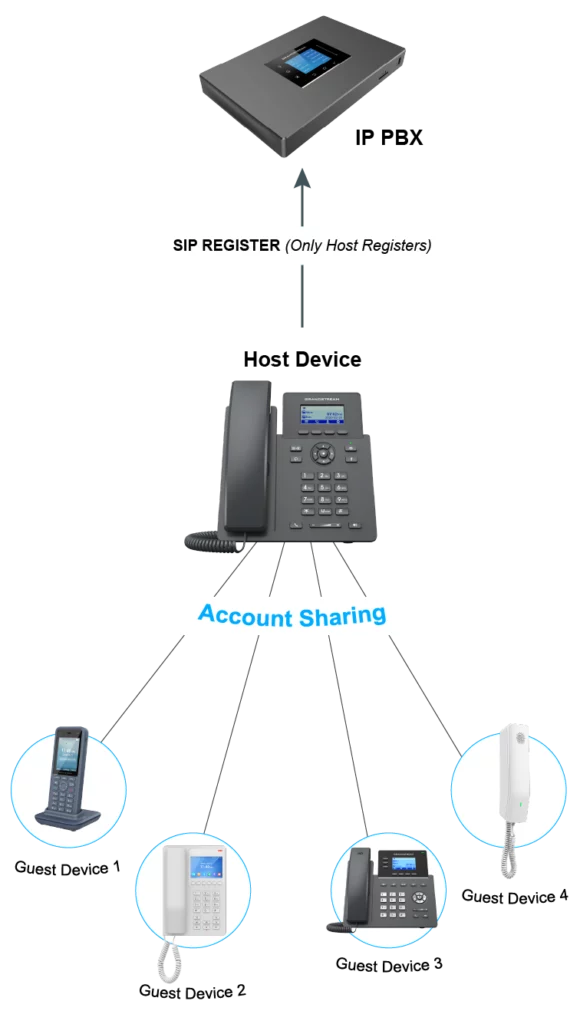
CONFIGURATION
Host Device Configuration
- Obtain the phone’s IP address:
- GRP260x: Via the LCD screen, navigate to Menu → Status → Network Status.
- GHP6xx: Dial **47# and wait for the IVR to announce the IP address of the phone (for the GHP63xx, you can display the IP address by long-pressing HOLD + 0).
- WP8x6: Via the LCD screen, navigate to Menu → Status → Network Status (for the WP856, access GS Settings → Device information → Network status).
- Enter the IP address in the browser’s address bar to access the Web UI.
- Log in using the Admin credentials. In the case of a first-time login or if the device has been reset, use the default credentials:
- Username: admin.
- Password: a randomly generated string that is printed on a label in the battery compartment, bottom, or back of the device.
- Once logged in, access Application → Account Sharing.
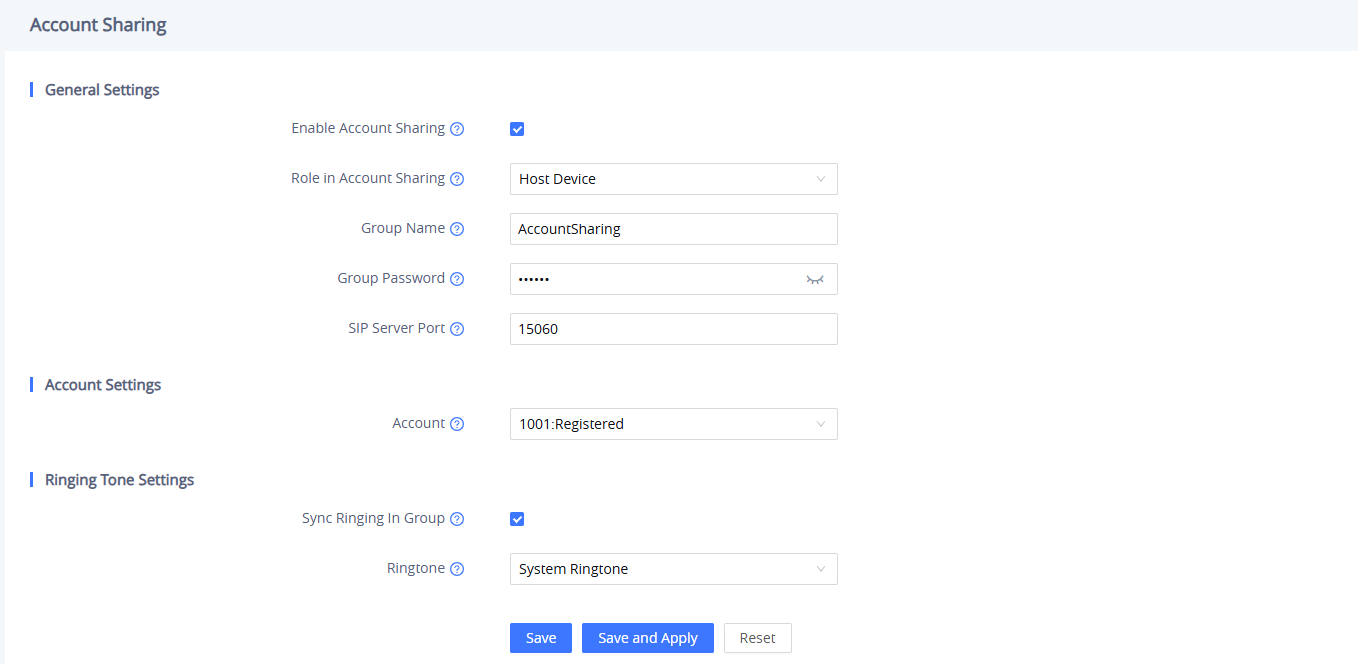
- Under General/Basic Settings:
- Enable Account Sharing.
- Select the Role “Host Device”.
- Set the Group Name and Password.
- Set SIP Server Port (0 indicates a random port, ranging from 1 to 65535).
- Under Account Settings, set the SIP account that will be shared with the group.
- To synchronize ringing across the devices in the group, enable Sync Ringing In Group and select the Ringtone (if possible) under Ringing Tone Settings.
- Save and Apply the configuration.
- The guest devices will be listed under the Discovered Guest Device List once they are configured.
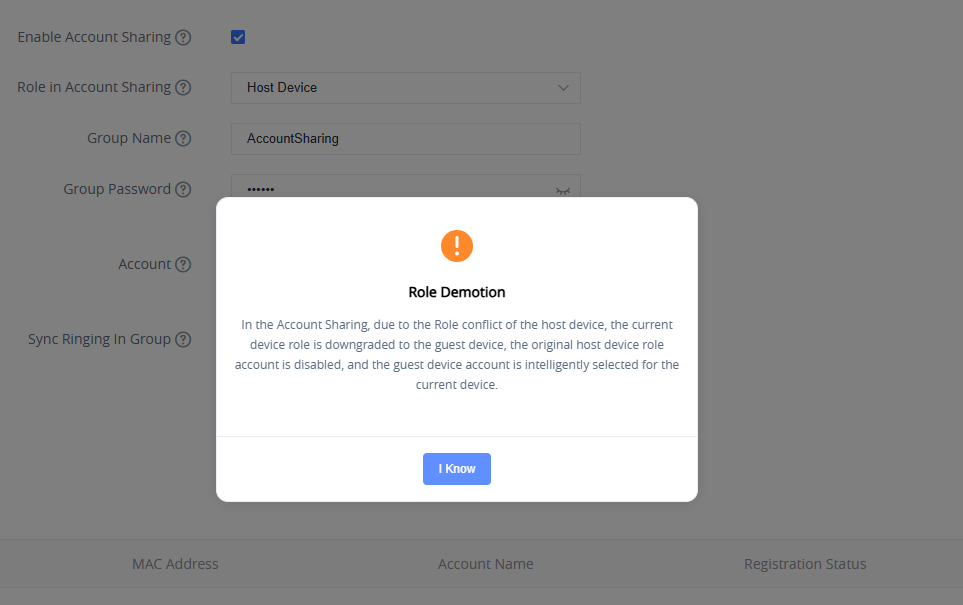
Guest Device Configuration
- Obtain the phone’s IP address, log into the Web UI, and access the Account Sharing page (refer to the previous section).
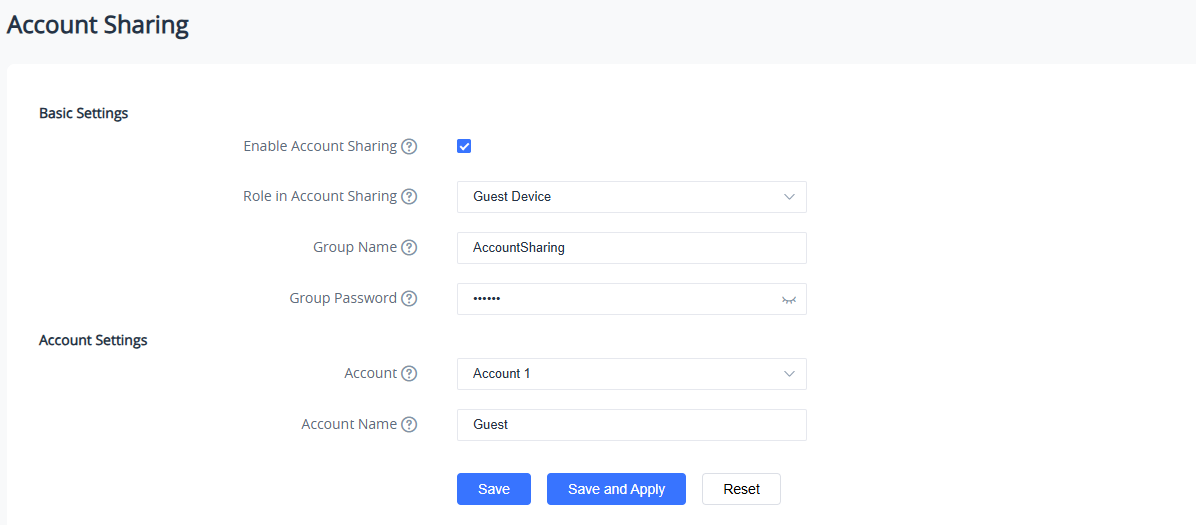
- Under General/Basic Settings:
- Enable Account Sharing.
- Select the Role “Guest Device”.
- Enter the Group Name and Password configured on the host device.
- Under Account Settings, set the SIP account of the guest device that will share the SIP account of the host device.
- Save and Apply the configuration.
- The host device will be displayed under the Discovered Host Device List.
SUPPORTED MODELS
Device Series | Device Model | Firmware Support |
GRP260x | GRP2601(P/W) | 1.0.1.18+ |
GRP2602(P/W/G) | ||
GRP2603(P) | ||
GRP2604 (P) | ||
GHP6xx | GHP610 (W) | 1.0.1.49+ |
GHP611 (W) | ||
GHP620 (W) | ||
GHP621 (W) | ||
GHP630 (W) | 1.0.1.13+ | |
GHP631 (W) | ||
WP8x6 | WP816 | 1.0.1.9+ |
WP826 | ||
WP836 | ||
WP856 |