


Introduction
GS-POE15W-MG, GS-POE30W-MG, and GS-POE60W-MG are plug-and-play PoE Injectors, which provide power for Grandstream’s PoE powered devices, such as Wireless Access Points, IP phones, etc. They comply with IEEE 802.3af/at/bt standards. GS-POE15W-MG and GS-POE30W-MG have 2x 2.5G network ports and GS-POE60W-MG has 2x10G network ports and all models include a built-in power adapter with 1.2m AC cable.
Package Content
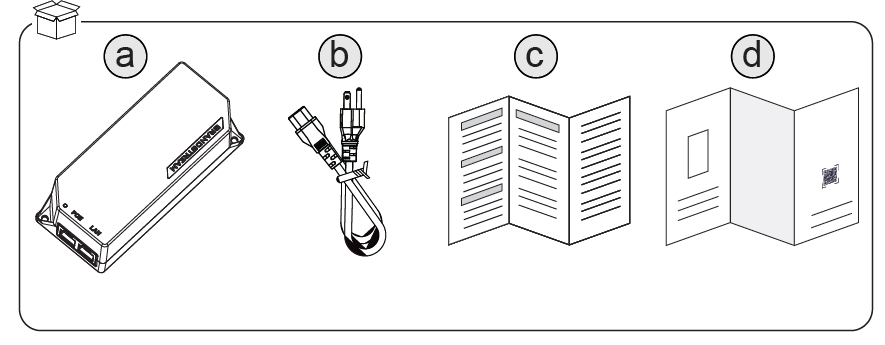
a | GS-POE15W-MG/GS-POE30W-MG/GS-POE60W-MG |
b | 1x 1.2m (10A) AC Cable |
c | Regulatory Paper |
d | Quick Installation Guide |
Powering and Connecting the GS-POE
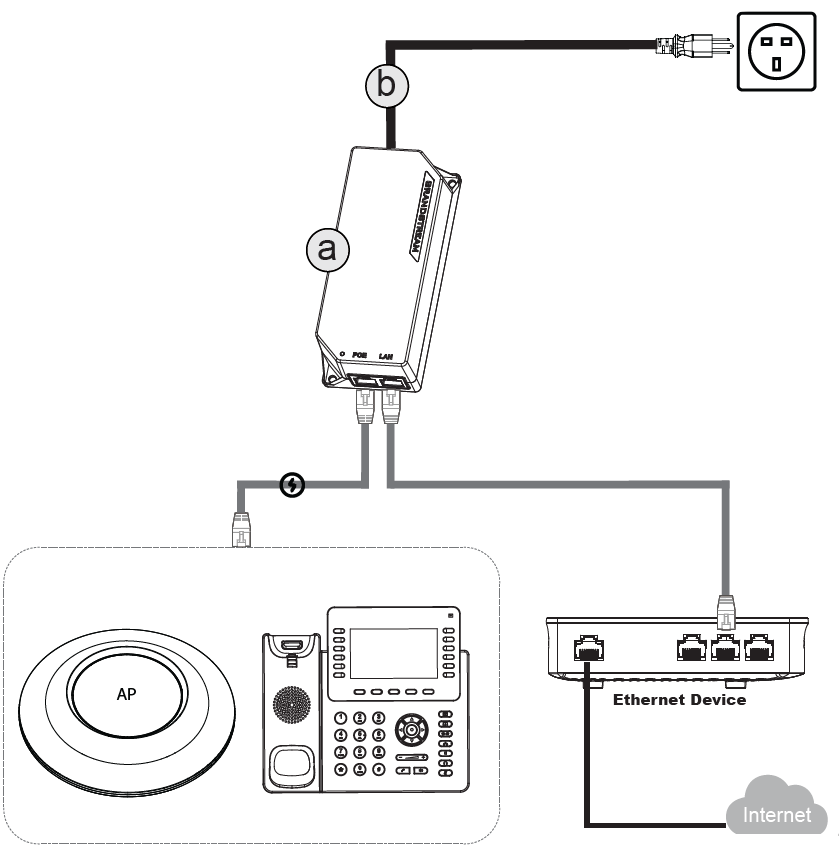
- Plug an Ethernet cable from your switch/router into the LAN port of the PoE injector (labeled “LAN”).
- Connect another Ethernet cable from the PoE port of the injector to the PoE-powered device (e.g., IP phone, AP, or camera).
- Plug the injector’s power cord (b) into a wall outlet to supply power.
- Ensure the PoE device powers up and has network connectivity. Check LED indicators on the injector and device.
Wall Mount
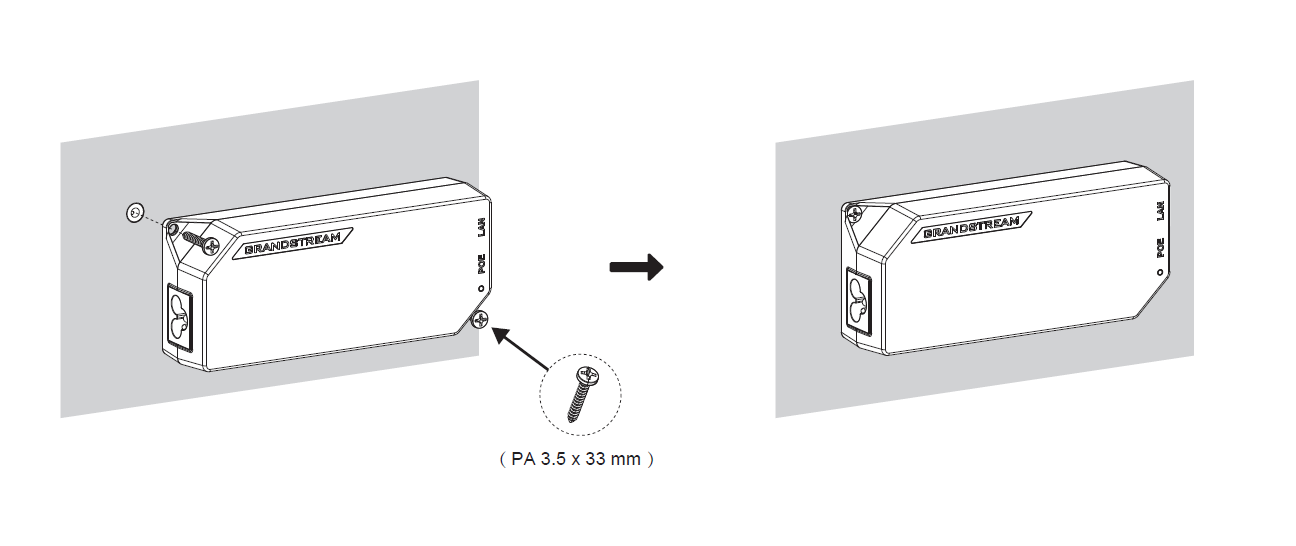
The GS-POE device can be wall-mounted as follows:
- Position the device horizontally on the wall.
- Mark and drill two holes aligned with the screw positions on the GS-POE device.
- Secure the device to the wall using two PA 3.5 × 33 mm screws (not included).
Ports and LED Indicators
LED Status | Indication |
Solid blue | AC input is normal, no PD devices such as AP are connected. |
Solid purple | AC input is normal, PD devices such as AP are connected and are being powered. |
Blinking blue/OFF | AC input is abnormal or the PD devices such as AP are short-circuited or overloaded. |
Models | GS-POE15W-MG | GS-POE30W-MG | GS-POE60W-MG |
Standards | IEEE 802.3 af | IEEE 802.3 af/at | IEEE 802.3 af/at/bt |
Interface Ports | 1xAC power Jack 1×2.5Gbps RJ45 LAN IN | 1xAC power Jack 1x10G RJ45, LAN IN 1x10G RJ45, LAN OUT with PoE | |
Input Voltage | 100~240VAC, 50/60Hz | ||
Output Voltage | 54VDC | 54VDC | 54VDC |
PoE Output Power | 20W | 30.2W | 60W |
Environmental | Operation: 0°C to 45°C Storage: -10°C to 60°C | ||
Dimension | 140.55mmx60.3mmx35.4mm | ||