

INTRODUCTION
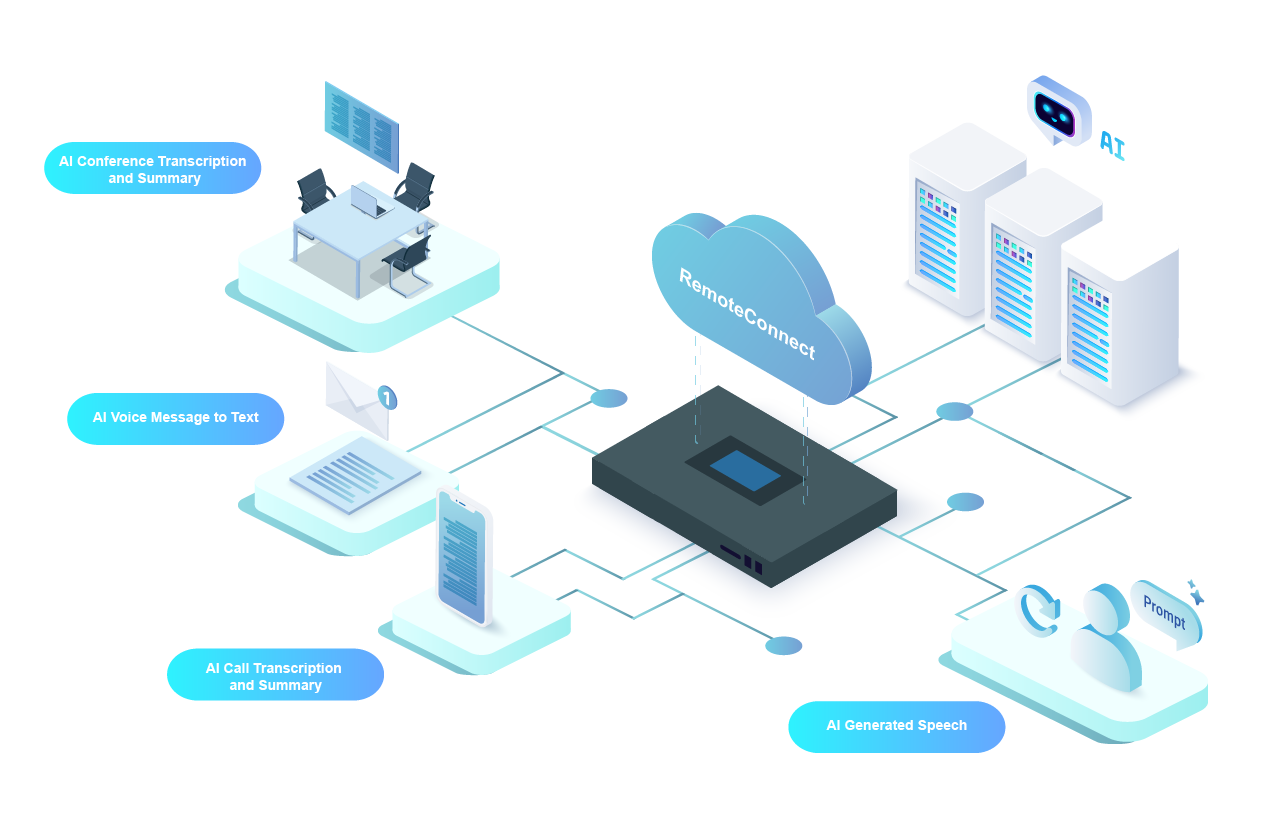
This guide provides a general overview of the Artificial Intelligence (AI) features available on your Grandstream IP PBX. These features, powered by the RemoteConnect AI service, are designed to enhance communication efficiency, improve accessibility, and simplify administrative tasks through advanced speech recognition, transcription, and generation.
AI services are a purchasable add-on and are subject to usage limits defined by your active RemoteConnect plan. An administrator can enable these features for all extensions, or apply them to selected extensions only.
PREREQUISITES
Before using the AI features, ensure the following requirements are met:
- Supported Models and Firmware: Refer to the Supported Models section for the list of supported devices and minimum required firmware versions.
- AI Service Activation: The AI function trial or subscription must be enabled for your specific PBX device by contacting Grandstream Support.
- Administrator Configuration: The PBX administrator must enable the desired AI features globally under Integrations→AI Settings (Beta) and assign permissions to specific extensions.
SUPPORTED AI FEATURES
The Grandstream IP PBX offers a suite of AI-powered tools that integrate with calling, conferencing, and voicemail. Click the options below for detailed instructions guide on each feature.




SUPPORTED MODELS
The AI features covered in this guide are supported on the following platforms. Ensure all devices are updated to the minimum required firmware versions before enabling any AI features.
Product | Minimum Version | Call/Meeting Transcription | Call/Meeting Summary | Voicemail Transcription | AI Generated Speech | ||
Real-time | Post-call | Real-time | Post-call | ||||
PBX | |||||||
UCM6300/A Series | 1.0.33.30+ | ||||||
CloudUCM | 1.0.33.10+ | ||||||
Wave Client | |||||||
Wave Desktop | 1.33.14+ | — | |||||
Wave Web | 1.0.33.14+ | — | |||||
Wave Android | 1.0.33.8+ | — | |||||
Wave iOS | 1.33.9+ | — | |||||